Golf has always been a sport rooted in tradition and feel, but the arrival of launch monitors is shaking up how players approach training. These portable and powerful devices bring science and data onto the driving range, helping golfers dial in their swings with way more precision than a simple guess from a coach or a video replay. I put together this guide to help you understand how launch monitors are switching up golf training for everyone—from beginners all the way to pros chasing their next big win.
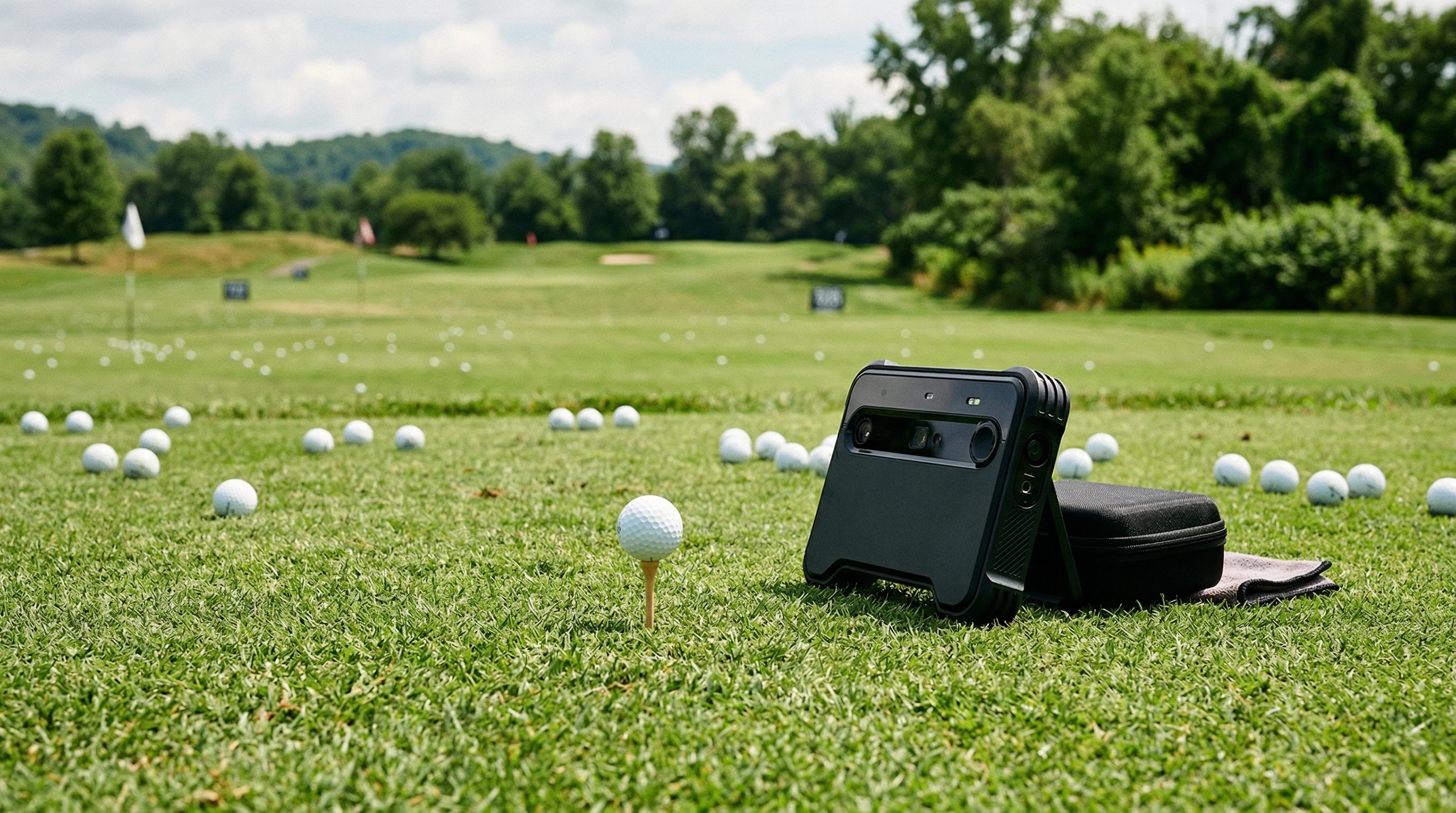
Launch Monitors: The Basics and Why They Matter
Launch monitors have turned into some of the most popular pieces of tech on golf courses and in indoor simulators. These devices track every tiny detail of a golf shot, from how fast the ball flies to the angle it leaves the clubface. This data used to be reserved for elite coaches and club fitters, but prices have dropped, and now even weekend warriors can use one to see what’s really happening in their swing.
I first tried using a launch monitor during a club fitting session. The feedback was instant—I could actually see how my swing changes affected my shots. It’s not just about numbers for the sake of numbers; it’s about understanding cause and effect. Suddenly, every tweak in grip or tempo produced real data I could work with. That alone makes launch monitors pretty handy for anyone serious about improvement.
Modern launch monitors aren’t just for pros anymore. They’re small enough to fit in your golf bag and sync with your phone, so whether you’re at the range or setting up a net in your garage, you can track every shot. This portability means anyone can get the kind of insight into their swing that used to cost hundreds per hour with a coach. Over the last few years, they’ve truly spread like wildfire in the golf community, from local clubs to major tournaments.
Getting Started With a Launch Monitor
If you’re thinking about picking up a launch monitor, it helps to know some of the key features and terms you’ll run into. Even entry-level models provide a ton of information, and knowing what matters can help you focus your training and avoid getting bogged down in data you don’t need just yet.
- Ball Speed: Measures how fast the golf ball leaves the clubface. Higher speeds often lead to more distance.
- Launch Angle: Tells you the angle at which the ball takes off. Getting this right can mean the difference between stopping on the green or rolling off the back.
- Spin Rate: Shows how much the ball is spinning. Too much or too little spin affects accuracy and distance.
- Carry Distance: Calculates how far the ball carries before hitting the ground. Super useful for club selection.
- Club Path: Tracks the direction your clubhead is moving during impact, helping you identify slices or hooks.
Modern launch monitors can even connect to your smartphone or laptop, storing your data over time so you can see trends and improvement. I’ve found it way easier to stay motivated when I’m actually seeing my stats move in the right direction. The visual feedback and historical data graphs can help pinpoint your best practice habits and see exactly which changes impact your performance.
Step-by-Step Guide to Using a Launch Monitor for Better Practice
Using a launch monitor isn’t just about hitting balls and checking numbers. The real benefit comes from working through your data and making strategic decisions. Here’s a simple approach to get you started:
- Set Up Properly: Place your launch monitor according to the manufacturer guidelines. This helps ensure accurate readings every shot. Double-check alignment and surface stability for best results.
- Start With Baseline Data: Hit ten shots with your usual club. Use the data as your “average” to compare against as you make adjustments.
- Change One Thing at a Time: If you’re working on swing path, don’t also change your grip or stance. This helps isolate what’s making the difference in your numbers and keeps your process clear.
- Analyze Trends: Look for patterns, not just one-off great, or terrible, shots. Launch monitor apps usually make this pretty convenient by presenting averages and dispersions.
- Work on Weaknesses: Use the numbers to identify weak areas—maybe your 7 iron always spins too much—then make tweaks and watch for progress.
Doing this every range session really helps you target specific problems. You’ll know if you’re actually getting better or just having a good day. Plus, keeping a log of your sessions helps you see improvement week over week, not just day to day.
Things to Think About Before Getting a Launch Monitor
Launch monitors have a lot of benefits, but there are a few things worth considering before you buy or start using one for every practice. Here are some factors I’ve learned to keep in mind:
- Price Range: Entry-level devices can be a few hundred bucks, while high-end models are a major investment. Figure out your budget and how much detail you actually need for your goals and style of play.
- Indoor or Outdoor Use: Some monitors need a driving range to get the most accurate ball flight, while others work well indoors. If you plan to hit balls in your garage, check compatibility, especially ceiling height and space requirements.
- Learning Curve: The data can be overwhelming at first. Stick to a few key numbers until you feel comfortable and don’t let stats distract you from your actual swing basics.
- Data Overload: More info is great, but it’s easy to get lost in numbers. Focus on trends, not just single shots or random data spikes.
I found that sticking with carry distance and ball speed in the beginning helped me avoid overthinking. Once you’re comfortable, you can start looking into advanced details like spin rates, attack angles, and clubface positions—just don’t try to tackle everything at once.
Price Range
The cheapest launch monitors out there will generally give you ball speed, estimated carry, and maybe a basic launch angle. More expensive models add spin, club path, face angle, and integration with simulation software. If your main goal is casual feedback, a lower cost monitor is already a huge boost from guessing your distances. If you’re a data nerd or working toward a major handicap jump, a more advanced system could be totally worth it.
Indoor or Outdoor Use
If you want to practice year-round in a basement or a simulator setup, you’ll want a model that is designed for those spaces. Some radarbased systems don’t work well indoors unless you have a lot of room, while camerabased systems can be great in tight spaces. Portable options mean you can work on your game no matter the weather or season.
Data Overload
More details sound helpful, but if you’re just learning, too much information can slow you down. I started off focusing just on launch angle and carry. Once I got the hang of how those numbers matched up with my shot shape, I got into spin rates and club face angles. Quality practice trumps quantity of data every time. The key is not to let numbers get in the way of natural improvement.
Expert Tips for Getting the Most Out of Your Launch Monitor
Once you feel confident reading your numbers, there’s a lot more you can do with your launch monitor. Here are a few tips that made a difference in my own game and that pros often recommend:
Work on Specific Shot Shapes: Use the club path and face angle data to practice intentional draws or fades. My approach shots got way better when I started using this feedback to shape shots on purpose instead of by accident.
Dial In Your Wedges: Short game is all about distance control. Use carry number tracking to get a real sense of how far each wedge flies, not just a rough guess. Tracking your launch angles lets you better judge which approach is right for your next shot out of the sand or rough.
Compare Equipment: Test out different clubs and balls. I sometimes bring a few different drivers to the range and use the launch monitor to see which combo actually gives me the best results, not just what feels fastest. This method helps clarify marketing claims and puts performance first.
Challenge Yourself: Set up practice games like “hit five shots within a certain carry distance” or “try to keep every shot within a certain launch angle.” This keeps practice fun and goaldriven, and pushes you to game plan each swing rather than just swinging away.
Taking a structured approach gives you a clear path to improvement, so you’re not just hitting ball after ball with no real feedback. Mixing up your range routine with data-driven challenges turns ordinary practice into a growth tool. And don’t be afraid to get creative and cook up something new based on the stats you track!
Real-World Impact: How Launch Monitors Are Used Today
Golfers everywhere are working launch monitors into their routines. In real life, I’ve met players who shaved ten shots off their score just by realizing their driver was set up wrong or their iron distances weren’t what they thought. Top coaches use this data to develop drills, while club fitters rely on it to match players with the right equipment. It’s become almost a staple in any training program, and its influence grows fast as more people see real-world results.
- Driving Distance: Using launch data, it’s possible to push ball speed higher while keeping the ball in play. This means longer and straighter drives for every level of golfer.
- Accuracy and Consistency: Understanding spin and launch angle helps golfers keep their shots on target, not just hit it harder. Consistent stats can translate to more predictable outcomes on the course.
- Personalized Practice: Launch data lets golfers see their actual progress, taking the guesswork out of training, and helping create specific, personalized improvement plans that show real payoff on the scorecard.
I know a friend who thought he needed a stiffer shaft, but the launch monitor showed he was actually losing control with the harder flex. Small changes based on numbers really can lead to big improvements over time. Plenty of stories float around golf shops about amateur golfers using simple launch monitor data to break through scoring plateaus, renovate their swing, or step up their short game accuracy. That kind of direct feedback simply didn’t exist outside of tour-level practice a decade ago.
Frequently Asked Questions
Here are some questions I often get from golfers curious about launch monitors:
Question: Do I need an expensive launch monitor to benefit from this technology?
Answer: Even basic models offer useful info like ball speed, launch angle, and estimated carry. These alone can help you improve with focused practice, especially if you keep at it regularly.
Question: How do I know if my launch monitor is accurate?
Answer: Most models provide reliable results if set up correctly. Follow the manufacturer’s instructions and test against a known distance if you want to double-check. Some users bounce results off pro-grade simulators to be sure, but for most players, modern devices are plenty close for practical improvement.
Question: Can I use a launch monitor at home?
Answer: Many newer monitors are built for indoor use. Make sure to use netting and check your model’s requirements for space to get the best readings. You often only need a few yards of safe flight, so even small basements or garages work fine with the right setup.
Final Thoughts
Launch monitors are reshaping the way golfers practice and play. From tuning in your swing to making equipment choices, having real-time data at your fingertips takes a lot of the guesswork out of improvement. Golfers of all levels can benefit. If you’re serious about taking your game up a notch—or even just want to see a few more balls in the fairway—this kind of technology is worth checking out.
Start working launch monitor sessions into your range time and watch your scores come down. There’s nothing quite like seeing your progress turn into lower scores and more fun on the course. Whether you’re looking to hit the ball farther, find more consistency, or just enjoy your practice sessions a little more, a launch monitor could be the tool you never knew you needed.